
Bandy is a different approach to the Oscillator. Bandy has what is essentially one Oscillator built from three sub-Oscillators; each sub-osc adding a part of the spectrum to form the sound.
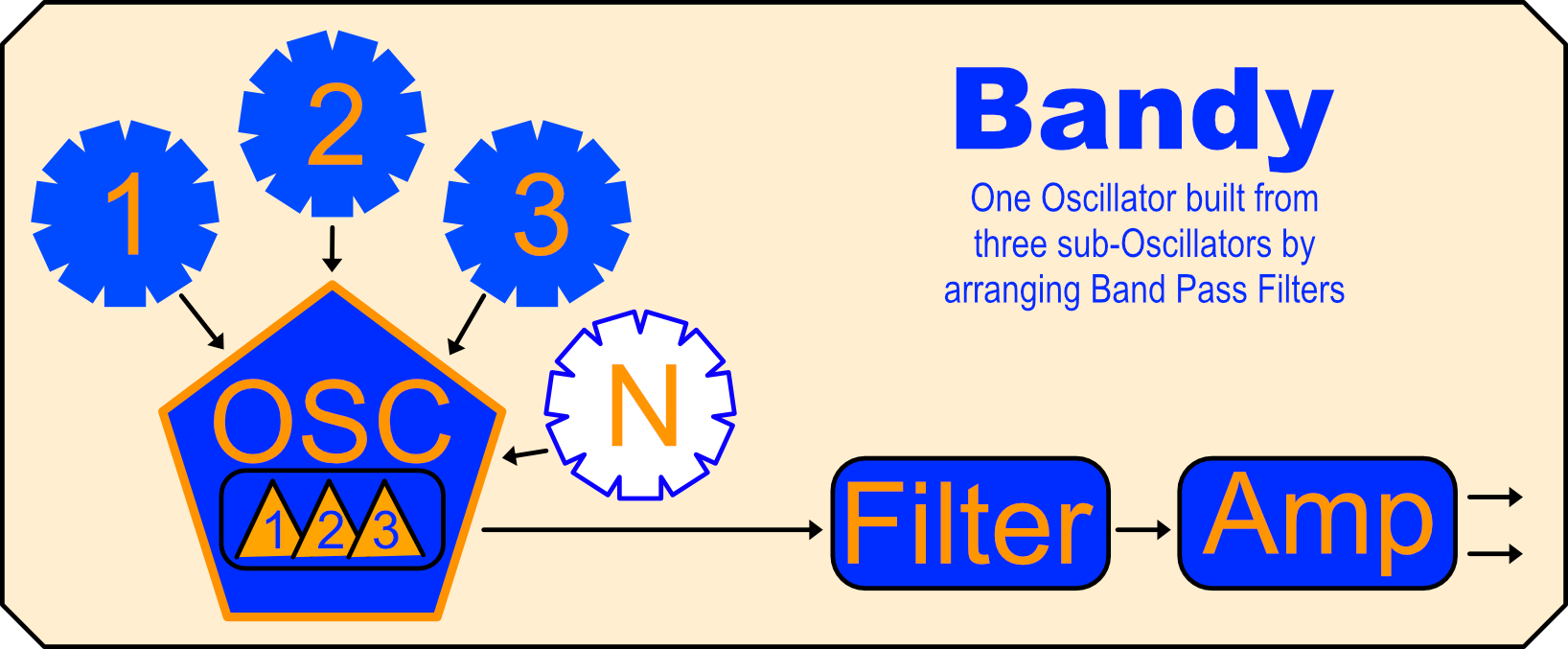
Classic Subtractive ‘analog’ synths tend to sound ‘heavy’ because there is a lot of Fundamental in the tone, esp after Low Pass Filtering. With Bandy, while it is possible to focus-in the fundamental, it is as likely that one will ease away from the fundamental to build brighter or less ‘grounded’ sounds.
Real-world instruments are often lighter on their fundamental than we assume after using Moogy synths. Bandy can deliver very nice sounds that feel lighter. Bandy can also make sounds that feel quite disconnected from a lack of a clear fundamental pitch – a good or bad thing depending on your needs.
This video is the official Manual
Knobs
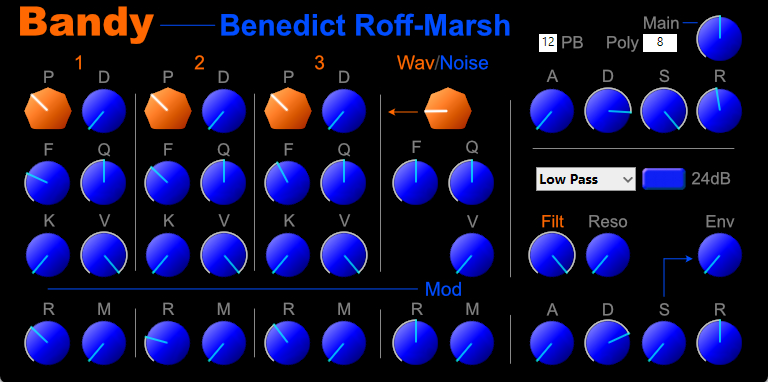
- Oscillator: All three sub-Oscillators are the same, so I will only describe one here:
- P – Pitching for sub-oscillator -2 to +4 octaves
- D – Detune
- F – Filter center for the Bandpass
- Q – Quality or width of the Band. This will scream at high values
- K – Keyboard scaling for the Filter. At 0, no movement of the filter band with notes. At 100, the filter will follow the note played. This will require resetting the Filter center.
- V – Volume level of this sub-osc
- R – Rate for the Filt Mod
- M – Modulation Depth for the Filter
- Wav – sets the core waveform for all three sub-Osc
- R – Rate for the Vibrato
- M – Modulation Depth for Vibrato
- Filter:
- Type of Filter: LP, HP, Band Pass, Band Reject
- 12dB/24dB switch
- Filt – sets the filter center
- Reso – raises resonance or Q
- Env – assign Filt Env movement to Filt center
- ADSR Envelope as per Amp Section
- Main:
- PB – choose Pitch Bend Wheel depth 0-12 semitones
- Poly – choose how many notes can be played 1 -128 (8 or 16 is usually plenty)
- A – Attack time for envelope
- D – Decay time for envelope
- S – Sustain level after decay
- R – Release time for envelope. Higher Poly count may be needed if playing chords with high release values to stop notes from cutting off.
Any Support MUST be via the YouTube conversation. That includes suggestions (that I probably can’t implement even if I wanted to).
 Benedict Roff-Marsh
I reposted this for my friend Phil, who is the only person I know who has as firm a grasp of this subject as you. He’s been around and done a lotof stuff, you should check him out.
Thanks Kenny. It’s not a new idea as such, just not commonly seen as it requires some work. 🙂